WhatsApp Payments for Business: Collect Payments Directly on WhatsApp with Notifyy

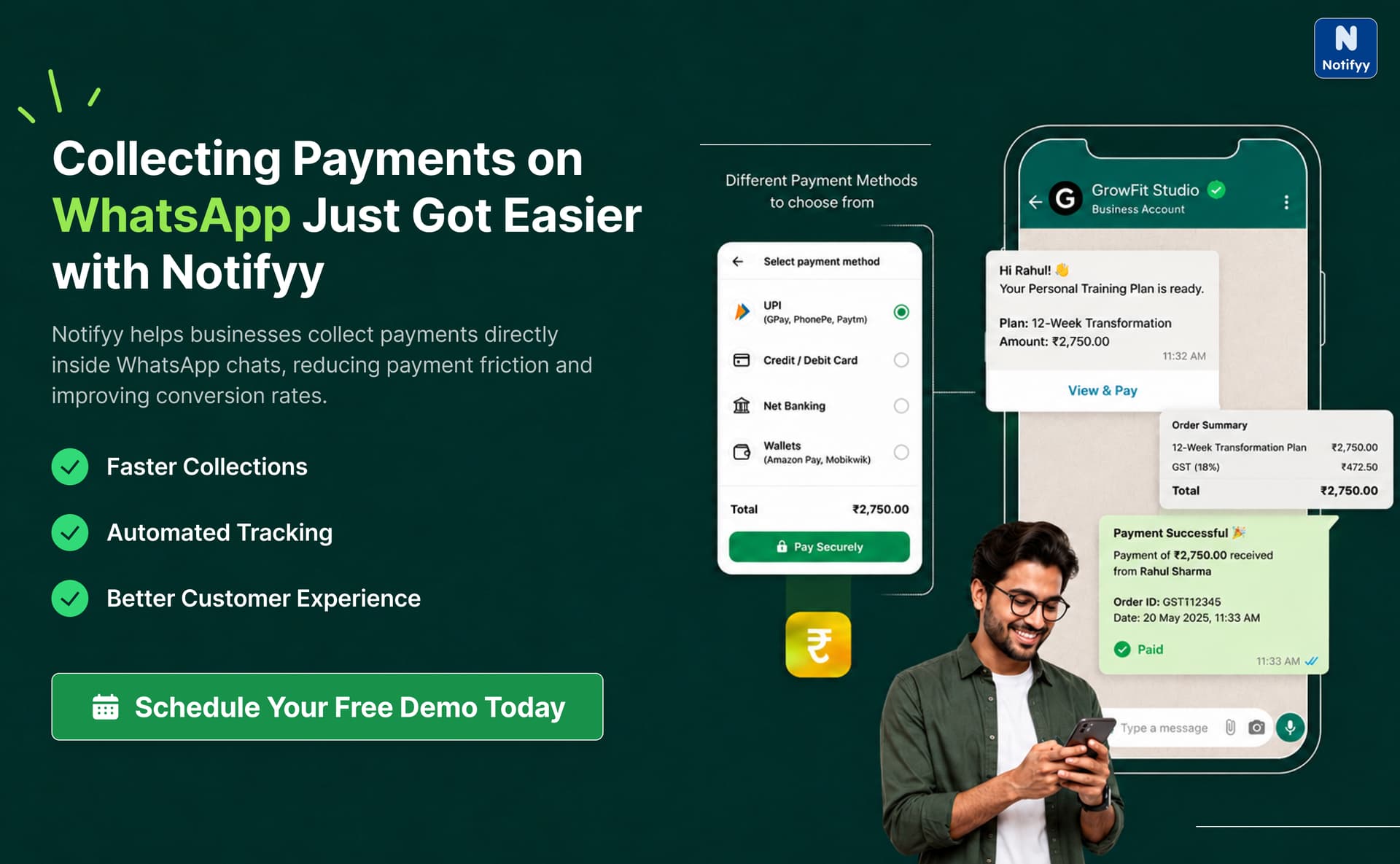
Let's be honest, collecting payments across multiple platforms can quickly become messy. Customers abandon payments midway, support teams struggle to track transactions, and finance teams end up manually verifying and matching payment records.
That's exactly where Notifyy changes the game.
Instead of redirecting customers to different apps or payment pages, Notifyy lets businesses collect payments directly inside WhatsApp conversations. The result? Faster payments, smoother customer journeys, and a much cleaner workflow for your team.
In this blog, let's walk through how you can configure WhatsApp Payments in Notifyy and the different ways your business can start collecting payments today.
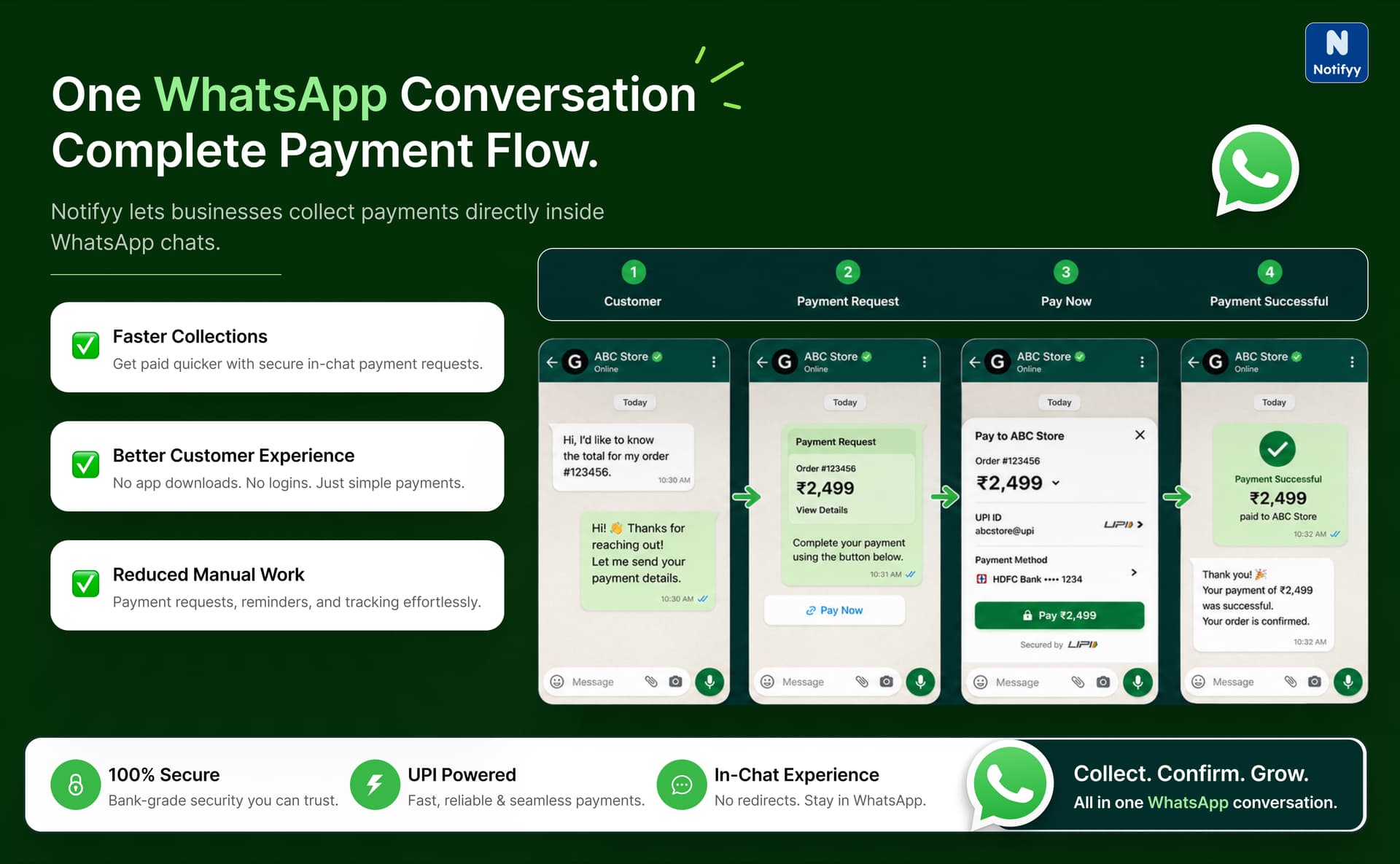
Step 1: Configure WhatsApp Payments in Notifyy
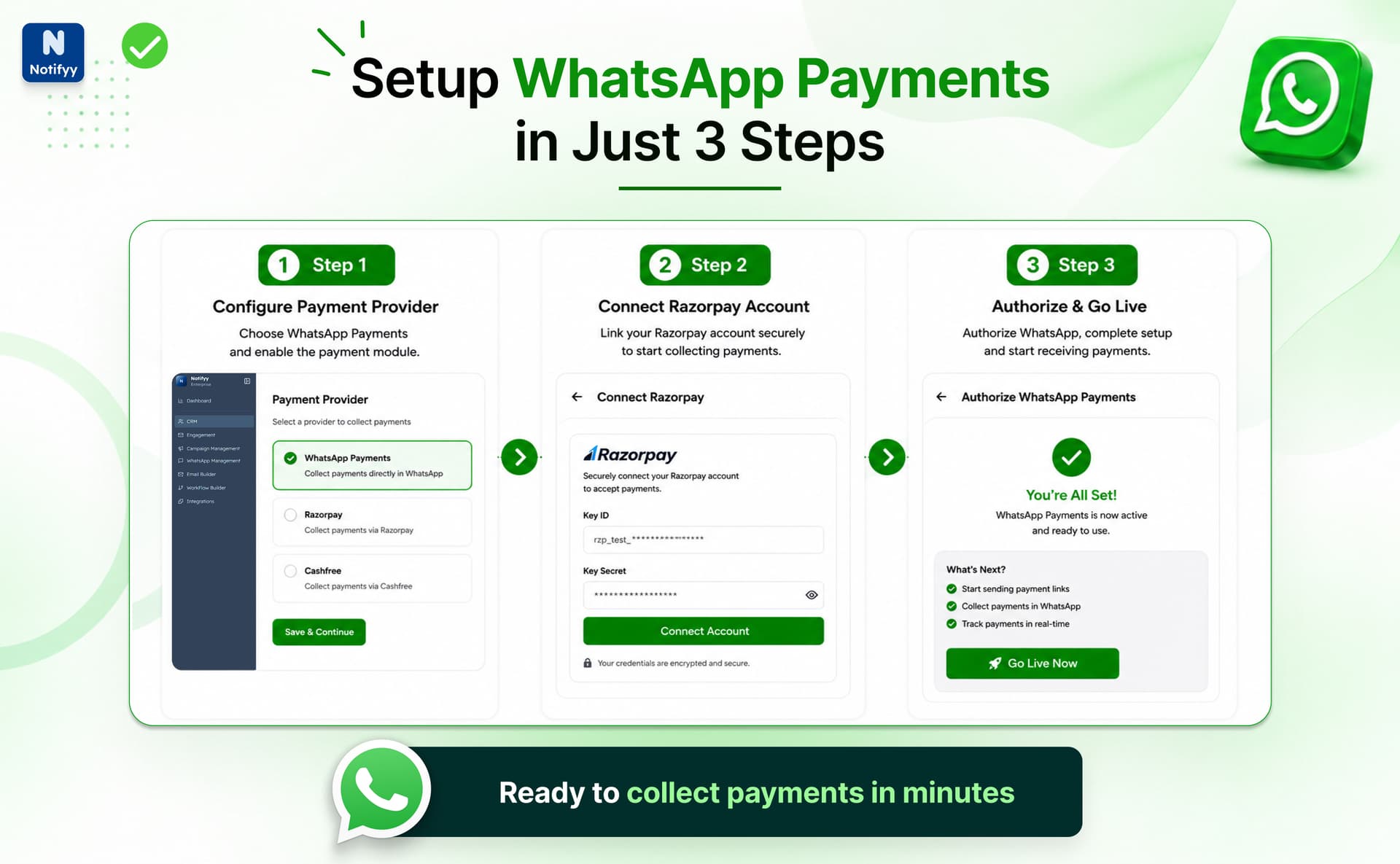
Before you begin collecting payments, the first step is setting up your payment configuration inside Notifyy.
Start by navigating to: Integrations -> WhatsApp Payments. From there, click on Create Configuration.
You'll be asked to:
- Select your preferred payment provider
- Enter a configuration name
- Click Next
Once completed, your payment configuration gets created successfully and appears in the configuration table.
Step 2: Connect Your Payment Account
After creating the configuration, the next step is connecting your payment gateway account. Inside the configuration table, click on the Onboard Link.
Then:
- Click Connect Now
- You'll be redirected to the Razorpay login page
- Enter your Razorpay credentials to continue
This securely connects your payment account with Notifyy.
Step 3: Authorize the Payment Configuration
Once your payment account is connected, simply click on Authorize to complete the setup.
After authorization:
- Your configuration status becomes Active
- Your WhatsApp Payments setup is now ready to use
At this point, your business can start sending payment requests directly through WhatsApp.
2 Ways to Collect Payments on WhatsApp with Notifyy
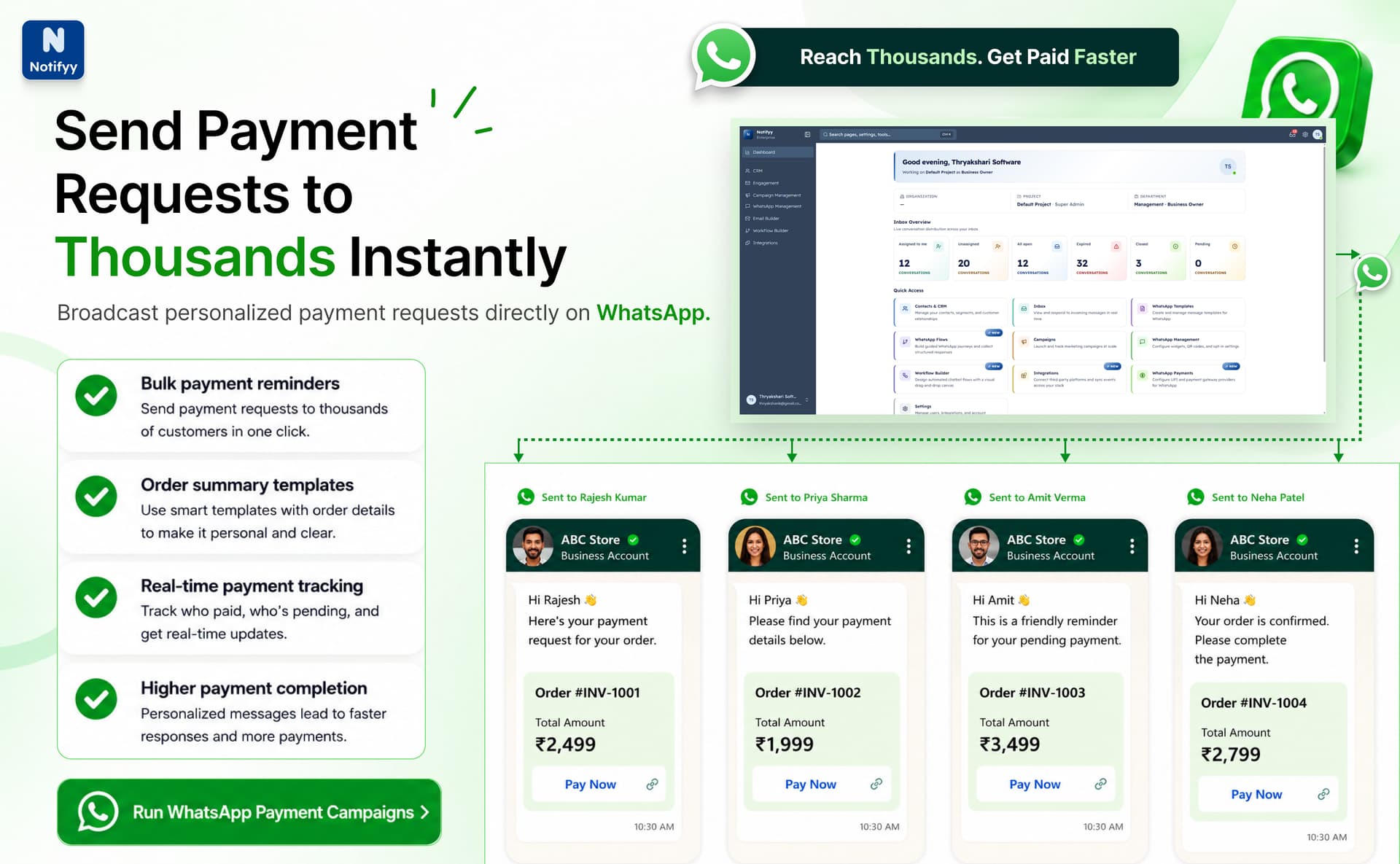
Now that your setup is complete, here are the two ways your team can start collecting payments seamlessly.
Broadcast Payment Requests at Scale
Need to collect payments from a large customer base? Broadcast payment messages make it incredibly simple.
Start by creating an order details template message that includes:
- Product name
- Quantity
- Price
- Taxes
- Order summary
Send the Campaign
Once the template gets approved, you're ready to send payment requests in bulk.
- Create a WhatsApp template for the payment request
- Create a broadcast campaign inside Notifyy
- Select the audience segments you want to target
- Click the Send Campaign button
That's it. Your payment request instantly reaches thousands of customers on WhatsApp.
Even better, your team can track payment statuses directly from: CRM -> Payments.
You'll be able to monitor:
- Successful payments
- Pending payments
- Failed transactions
- Refunded payments
No spreadsheets. No manual tracking. Everything stays centralized.
Automate Payments 24x7 with Chatbot Flows
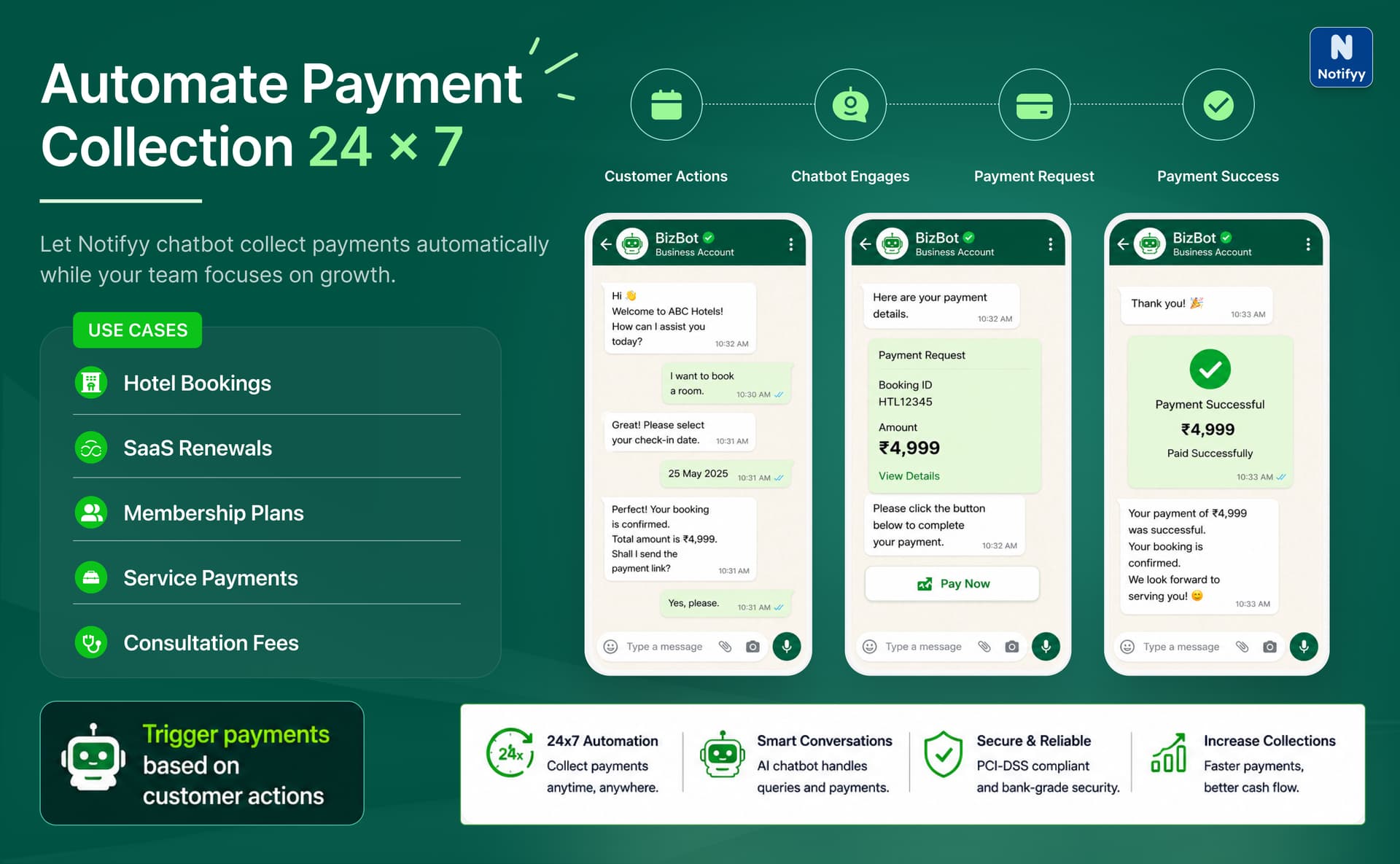
For businesses handling large-scale customer interactions, automation is where WhatsApp Payments becomes truly powerful.
Instead of agents manually sharing payment links, Notifyy's chatbot flows can automate the entire payment collection process directly inside WhatsApp, anytime, at any scale.
Whether you're collecting payments for:
- Service Bookings
- Hotel Room Bookings
- SaaS Subscriptions
- Membership Plans
- Consulting Sessions
- Digital Services
- Custom Orders
Notifyy chatbots can seamlessly guide customers through the payment journey within the conversation itself.
Here's how it works:
- Create your chatbot flow inside Notifyy
- Add the WhatsApp Pay element wherever payment is required
- Configure the payment details
- Connect it with your payment configuration
- Publish and activate the flow
Once activated, the chatbot can:
- Automatically send payment requests
- Trigger payments based on customer actions
- Handle payment collection without manual intervention
- Operate 24x7 for continuous collections
This helps businesses reduce operational effort while delivering a smoother customer experience.
Since the entire interaction happens inside WhatsApp, customers can complete payments quickly without switching between multiple platforms or apps.
Centralized Payment Tracking
One of the biggest advantages of Notifyy's WhatsApp Payments is visibility.
Every transaction can be tracked centrally through: CRM -> Payments.
This gives your teams complete insight into:
- Payment statuses
- Customer transactions
- Pending collections
- Refund activity
Whether payments are triggered manually, through broadcasts, or via chatbot automation, everything stays organized in one dashboard.
Conclusion
Notifyy's WhatsApp Payments isn't just about collecting money. It's about simplifying the entire payment experience for both businesses and customers.
From payment configuration and gateway onboarding to bulk payment broadcasts, live chat collections, and fully automated chatbot payments, everything happens inside WhatsApp with minimal friction.
The result? Faster payment collections, better customer experience, reduced operational overhead, real-time payment tracking, and seamless automation at scale.
If your business is already using WhatsApp to engage customers, enabling payments inside the same conversation could be the upgrade your workflow has been waiting for.
Ready to grow your sales with WhatsApp?
Start managing contacts, running campaigns, and automating workflows from one platform.